

🚀 Hugo, un generador de sitios web dinámicos, desarrollado en Go.
Tabla de Contenido
Introducción
Hugo es un Framework rápido para construir sitios web, creado en Go. Sus creadores bep , spf13 y amigos .
Prerrequisitos
Hay algunos prerrequisitos iniciales, antes de iniciar a trabajar con Hugo:
- Instalar Hugo.
- Instalar Git, siguiendo la documentación oficial .
Instalar Git
Es necesario tener instalado Git, ya que se necesita para descargar paquetes, temas y otras cosas necesarias en Hugo.
Instalar Hugo
Para realizar la instalación en macOS, ingresar a la página oficial e ir a la opción de instalaciones .
- Una vez allí seleccionar la opción de macOS.
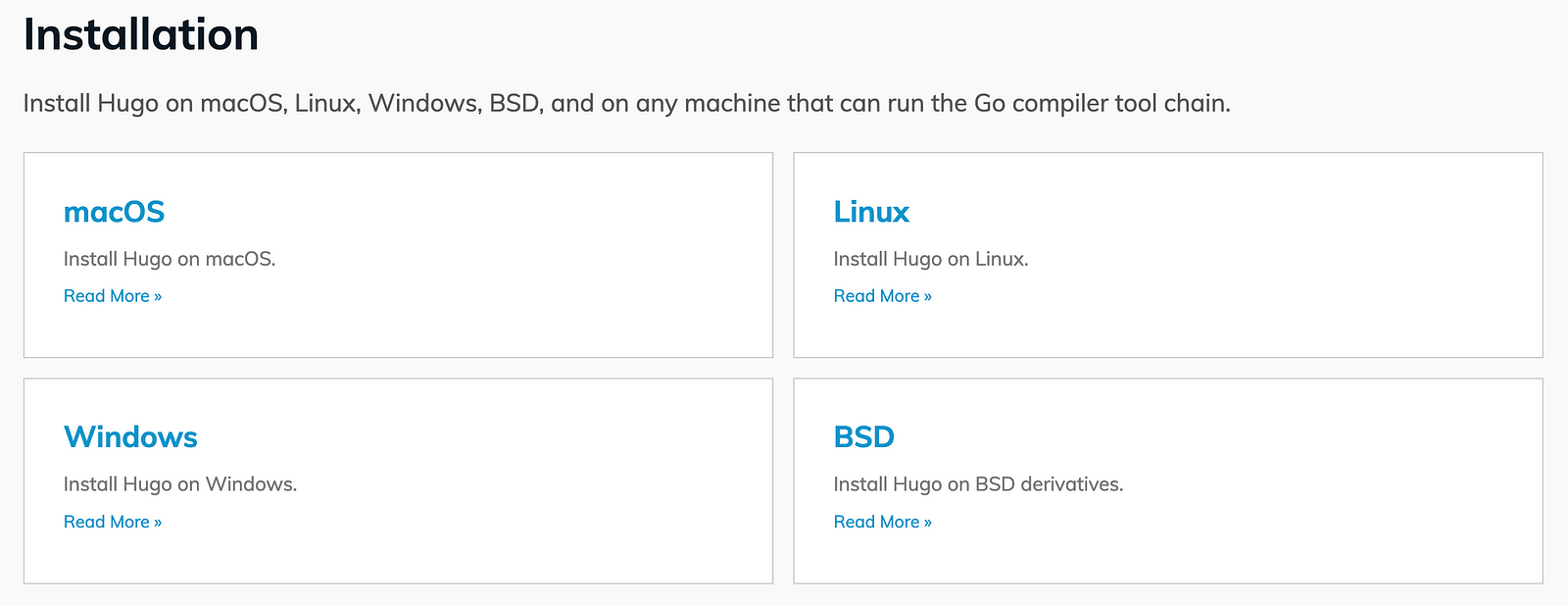
- En este caso lo haremos mediante el administrador de paquetes de macOS Homebrew . Basta con ejecutar el siguiente comando desde la terminal:
brew install hugo

- Para verificar que la instalación se realizó con éxito, podemos ejecutar el siguiente comando:
hugo version

- Con la opción
hugo helpse puede revisar todos los comandos disponibles para utilizar con Hugo.
hugo help
hugo is the main command, used to build your Hugo site.

Hugo is a Fast and Flexible Static Site Generator
built with love by spf13 and friends in Go.

Complete documentation is available at https://gohugo.io/.

Usage:
  hugo [flags]
  hugo [command]

Available Commands:
  build       Build your site
  completion  Generate the autocompletion script for the specified shell
  config      Display site configuration
  convert     Convert front matter to another format
  deploy      Deploy your site to a cloud provider
  env         Display version and environment info
  gen         Generate documentation and syntax highlighting styles
  help        Help about any command
  import      Import a site from another system
  list        List content
  mod         Manage modules
  new         Create new content
  server      Start the embedded web server
  version     Display version

Flags:
  -b, --baseURL string             hostname (and path) to the root, e.g. https://spf13.com/
  -D, --buildDrafts                include content marked as draft
  -E, --buildExpired               include expired content
  -F, --buildFuture                include content with publishdate in the future
      --cacheDir string            filesystem path to cache directory
      --cleanDestinationDir        remove files from destination not found in static directories
      --clock string               set the clock used by Hugo, e.g. --clock 2021-11-06T22:30:00.00+09:00
      --config string              config file (default is hugo.yaml|json|toml)
      --configDir string           config dir (default "config")
  -c, --contentDir string          filesystem path to content directory
  -d, --destination string         filesystem path to write files to
      --disableKinds strings       disable different kind of pages (home, RSS etc.)
      --enableGitInfo              add Git revision, date, author, and CODEOWNERS info to the pages
  -e, --environment string         build environment
      --forceSyncStatic            copy all files when static is changed.
      --gc                         enable to run some cleanup tasks (remove unused cache files) after the build
  -h, --help                       help for hugo
      --ignoreCache                ignores the cache directory
      --ignoreVendorPaths string   ignores any _vendor for module paths matching the given Glob pattern
  -l, --layoutDir string           filesystem path to layout directory
      --logLevel string            log level (debug|info|warn|error)
      --minify                     minify any supported output format (HTML, XML etc.)
      --noBuildLock                don't create .hugo_build.lock file
      --noChmod                    don't sync permission mode of files
      --noTimes                    don't sync modification time of files
      --panicOnWarning             panic on first WARNING log
      --poll string                set this to a poll interval, e.g --poll 700ms, to use a poll based approach to watch for file system changes
      --printI18nWarnings          print missing translations
      --printMemoryUsage           print memory usage to screen at intervals
      --printPathWarnings          print warnings on duplicate target paths etc.
      --printUnusedTemplates       print warnings on unused templates.
      --quiet                      build in quiet mode
      --renderSegments strings     named segments to render (configured in the segments config)
  -M, --renderToMemory             render to memory (mostly useful when running the server)
  -s, --source string              filesystem path to read files relative from
      --templateMetrics            display metrics about template executions
      --templateMetricsHints       calculate some improvement hints when combined with --templateMetrics
  -t, --theme strings              themes to use (located in /themes/THEMENAME/)
      --themesDir string           filesystem path to themes directory
      --trace file                 write trace to file (not useful in general)
  -w, --watch                      watch filesystem for changes and recreate as needed

Use "hugo [command] --help" for more information about a command.
Conclusión
En caso de querer instalar Hugo para otro sistema operativo, se puede revisar la documentación oficial que es bastante intuitiva.